Stop tab-switching to GitHub.
Review pull requests, triage issues, and browse code without leaving Obsidian. Your vault is where you think. Now it is also where you ship.
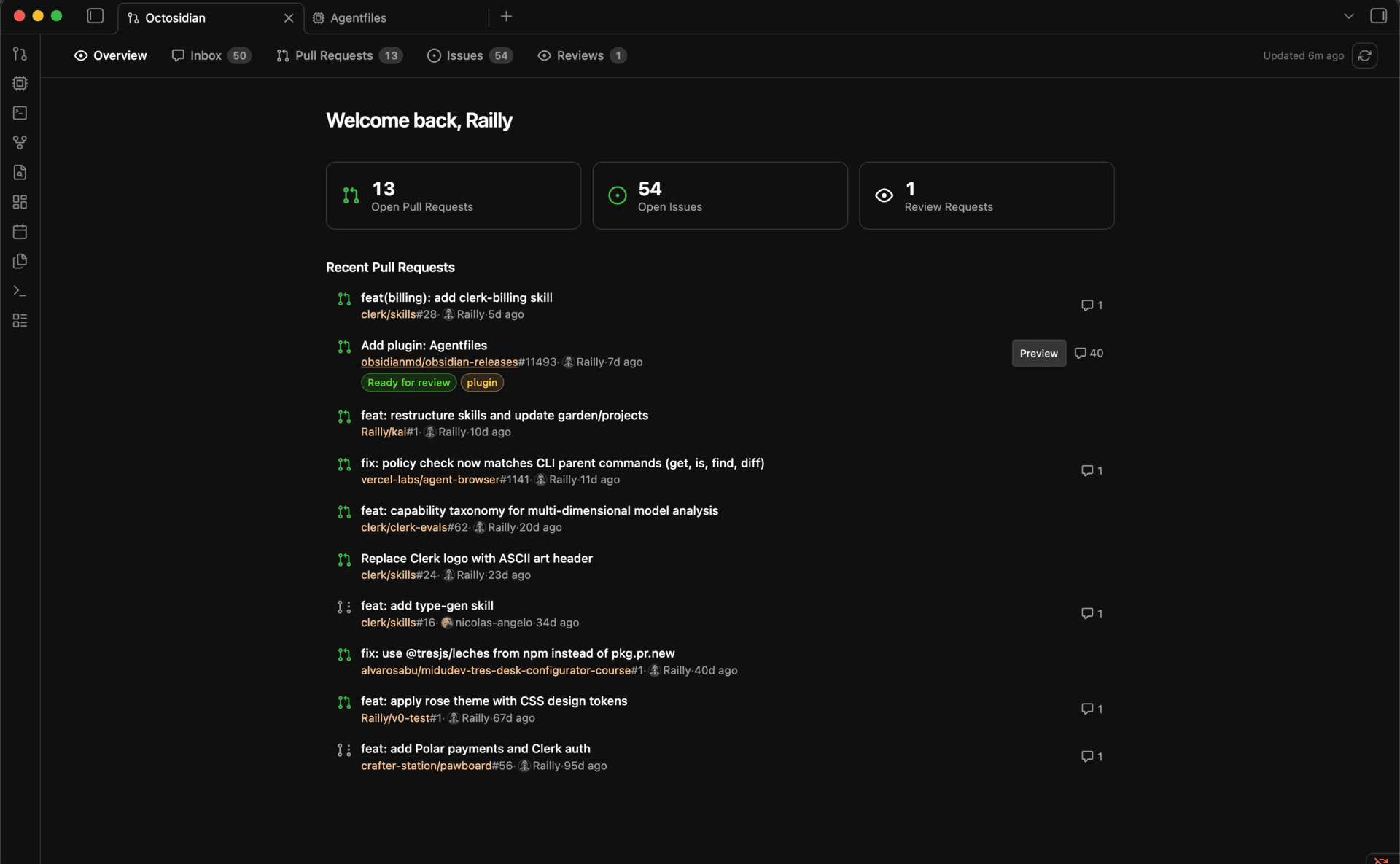
Six views. One place. Zero server.
Native Obsidian components. Reads your GitHub via a personal access token. Nothing runs in the cloud.
Pull Requests
Everything grouped the way you actually work. Review requested, authored, assigned, mentioned. Sort, filter, preview without leaving the list.
Issues
Triage across repos. Filter by label, state, or author. Read the full markdown body the same way Obsidian renders notes.
Inbox
GitHub notifications as a first-class view. Mark read, archive, focus on what actually needs you. Zero inbox without opening another tab.
Code Reviews
Pending review requests at a glance. Open any PR to see stats, labels, reviewers, and CI checks. Comment inline and merge when ready.
Repo Browser
Click any repo name from a PR or issue. File tree on the left, README or source on the right. Syntax highlighting follows your Obsidian theme.
Command Palette
Cmd+K to jump anywhere. Search GitHub globally, navigate tabs with g-p, g-i, g-r. Built for keyboard-first workflows.
Install in 30 seconds.
Manual install for now. Community plugin submission pending review.
Clone into your vault's plugins folder:
cd /path/to/your/vault/.obsidian/plugins
git clone https://github.com/Railly/octosidian.git
cd octosidian/plugin && bun install && bun run buildOpen Obsidian, go to Settings, Community plugins, and enable Octosidian.
Create a GitHub personal access token with repo and notifications scopes.
Paste the token into Settings, Octosidian. Click the git-pull-request icon in the ribbon and you are in.